
A private AI server is a computer or server that runs AI models inside infrastructure your business controls rather than sending every inference request to a public model API. The right machine is not determined by a single GPU recommendation. It is determined by the model you need, its quantization, the context you expect users to consume, how many requests must run at once, the latency you can tolerate, and what data is allowed to leave your environment.
For most businesses, the buying sequence should therefore be:
workload → model → memory requirement → concurrency → runtime → storage/network → security → operations → total cost.
Hardware is the output of that process, not the starting point.
This guide focuses specifically on sizing and procuring a private AI server for business. For the wider strategic question of where local models fit, see AIMEC’s Local and Private AI for Business guide. For the broader control-plane and enterprise deployment patterns around the server, see Private AI Architecture.
What Is a Private AI Server?
A private AI server is dedicated infrastructure used to run language models, embedding models, rerankers or other AI workloads within a business-controlled environment. It may sit under a desk, in an office server room, in a data centre, or inside a private cloud. The defining feature is not its physical location but the level of control the organization has over the compute, model serving, data flows, identity, logs and network boundaries.
That is why “private” should not be treated as a synonym for “secure” or “compliant.” A server can be physically on-premises and still expose an unauthenticated model endpoint, log sensitive prompts, allow unrestricted outbound internet access, or give every employee the same access to confidential RAG data. Privacy is an architecture and operations property, not a sticker on the chassis.
Start With the Workload, Not the Hardware
Before comparing GPUs or desktop systems, write down what the server must actually do. A five-person legal team searching internal documents has a different workload from an engineering department running coding agents, and both are different from a customer-facing service that must answer many simultaneous requests.
- Model and task: Which model family and model size meet the quality requirement? Is the server for chat, code, document analysis, embeddings, vision, agents or several workloads?
- Context length: How much text must each active request keep in memory? Long documents, code repositories and agent histories can materially increase memory use.
- Concurrency: How many requests need to be active at the same time? Total employee count is less useful than simultaneous demand.
- Throughput: Is the goal a responsive interactive assistant, overnight batch processing, or both?
- Latency: Is a first response in a few seconds acceptable, or does the application require consistently low interactive latency?
- Data sensitivity: Can prompts or retrieved documents leave the network? Does the organization need to restrict internet egress or operate offline?
If those questions are not answered first, even an expensive server can be the wrong server.
The One Constraint That Usually Matters Most: Memory and VRAM
For LLM inference, accelerator memory is often the first hard constraint. The model weights have to live somewhere, and then the runtime needs additional memory for the context, KV cache, temporary tensors and serving overhead. Quantization reduces the memory required for model weights by storing them at lower precision, which is why a quantized model can run on hardware that could not hold the same model at FP16 or BF16.
A useful first approximation for weight memory is parameters × bits per parameter ÷ 8. A 70-billion-parameter model at an idealized 4 bits per parameter is roughly 35 GB for weights alone. That does not mean a 35 GB device is sufficient: metadata, runtime overhead, context and KV cache still need headroom, and real quantization formats are not perfectly represented by the simple formula.
Context can become the hidden capacity problem. Each active sequence creates key/value state so the model can attend to earlier tokens. Longer contexts and more simultaneous sequences increase that memory requirement. This is why a server that runs one large model comfortably for a single user can struggle when ten long conversations arrive together.
Do not buy to the exact size of the model file. Leave operational headroom and test the intended context and concurrency before procurement.
Private AI Server Sizing Table
The table below is a planning framework, not a guarantee of model compatibility. Actual requirements depend on model architecture, quantization, runtime, context length and concurrent load.
| Deployment stage | Practical memory starting point | Typical form factor | What to optimize for |
|---|---|---|---|
| Pilot / individual | 32–64 GB unified memory or 24–32 GB VRAM | Desktop, mini workstation or single-GPU tower | Model fit, low complexity, low noise, fast iteration |
| Small shared team | 64–128 GB unified memory or 48–96 GB VRAM | High-memory desktop or professional workstation | Headroom for longer context, several active users, RAG services |
| Multi-user production | 96 GB+ accelerator memory, often across one or more GPUs | Workstation or rack server | Concurrency, batching, observability, service isolation |
| High-throughput / HA | Multiple GPU nodes sized from measured demand | Rack servers or clustered nodes | Redundancy, failover, capacity margins, operations |
Notice that the table does not say “20 employees = GPU X.” Twenty employees may create only two simultaneous requests, while five autonomous agents can create sustained parallel load. Size for the traffic pattern, not the org chart.
Hardware Options: Apple, NVIDIA Appliances and Custom GPU Servers
Apple unified-memory systems
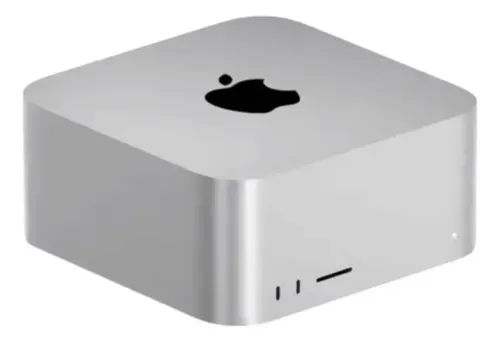
Apple’s current Mac Studio is unusual because CPU and GPU share a unified memory pool. The M4 Max configuration supports up to 128 GB of unified memory, while the M3 Ultra can be configured up to 512 GB. Apple says the M3 Ultra system can keep very large models resident in memory, and the platform is compact and quiet enough for office use. Apple’s Mac Studio announcement lists a U.S. starting price of $1,999.
The trade-off is ecosystem. CUDA-centric serving stacks and enterprise GPU software are primarily designed around NVIDIA hardware. Apple systems can be excellent for local inference with software that supports Metal and Apple silicon, but a business should confirm runtime, model-format and deployment requirements before choosing memory capacity alone.
NVIDIA DGX Spark-class systems
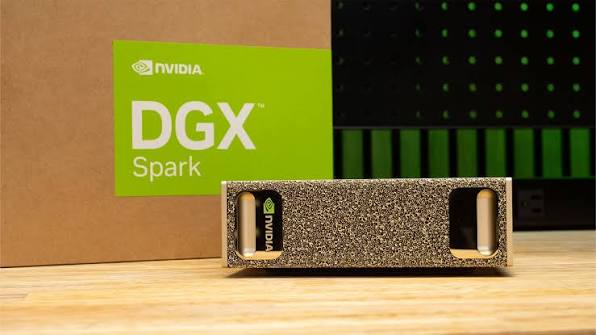
NVIDIA DGX Spark packages a GB10 Grace Blackwell Superchip, 128 GB of coherent unified system memory, 4 TB of NVMe storage and NVIDIA’s AI software ecosystem into a small desktop system. NVIDIA’s U.S. marketplace listed DGX Spark at $4,699 as of September 26, 2026. See the current NVIDIA DGX Spark listing for availability and pricing.
Its value is not simply the memory number. It gives teams a supported NVIDIA environment in a compact form factor. The limitation is that it is still one node with finite memory and throughput. A system that fits a model is not automatically a system that meets a team’s peak concurrency target.
Custom GPU workstations and servers
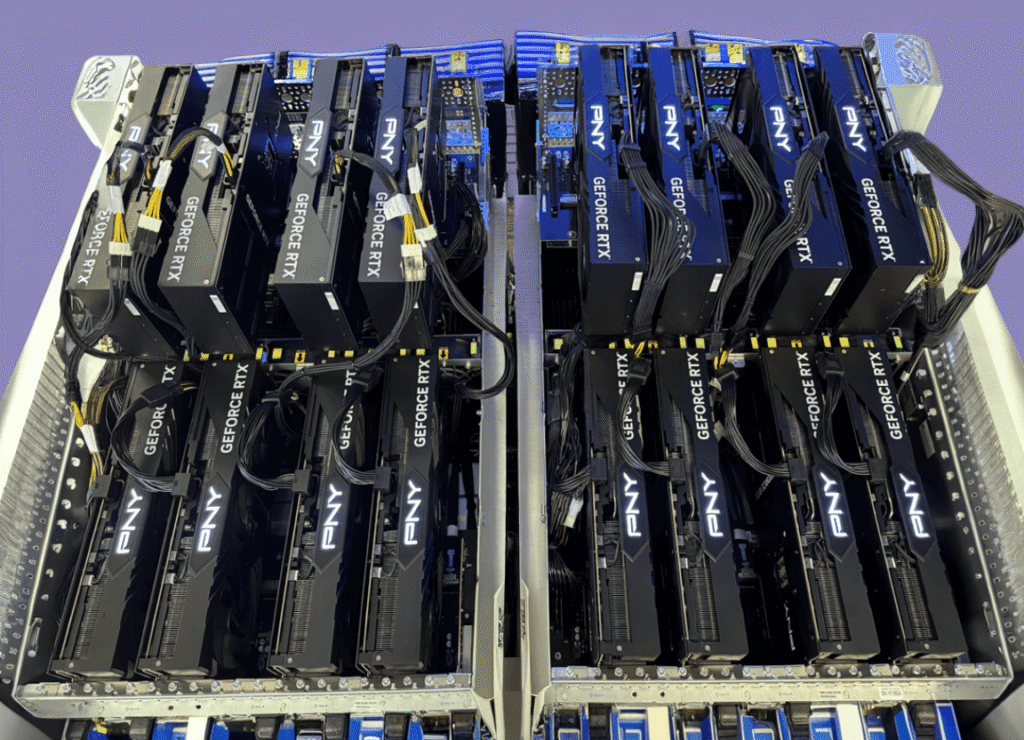
Custom NVIDIA systems provide the most flexibility. A GeForce RTX 5090 has 32 GB of GDDR7 memory and an official U.S. price of $1,999 when available through NVIDIA, while the professional RTX PRO 6000 Blackwell family provides 96 GB of ECC GDDR7 memory per GPU. The professional cards cost substantially more, but offer much more model and KV-cache headroom and are designed for workstation/server environments. See NVIDIA’s RTX 5090 marketplace listing and RTX PRO 6000 specifications.
A custom build also lets the business select ECC system memory, multiple NVMe drives, 10/25GbE networking, redundant storage, rack form factors and potentially multiple GPUs. The downside is operational ownership: power delivery, thermals, driver combinations, spare parts and support become part of the design.
2026 Hardware Cost Tiers
Pricing checked September 26, 2026. Hardware pricing is unusually volatile, so these are planning ranges rather than quotes. Taxes, installation, engineering, support contracts and software operations are excluded unless stated.
| Tier | Illustrative hardware budget | Typical use | Important caveat |
|---|---|---|---|
| Pilot | $2,000–$6,000 | One user or a small proof of concept | Prioritize testing the model and data path before buying for scale |
| Shared team server | $8,000–$15,000 | Internal RAG, chat and agent workloads for a small team | Memory headroom and runtime choice matter more than employee count |
| High-performance single node | $20,000–$30,000+ | Higher concurrency, larger models or multi-GPU inference | Still a single point of failure unless redundancy is added |
| High availability | $40,000+ | Business-critical production service | Two inference nodes, failover, UPS, networking and support can dominate the budget |
These ranges are consistent with current U.S. hardware guides that separate low-cost pilots from team and high-performance servers. For example, iFeeltech’s August 2026 guide estimates roughly $2,500–$3,500 for a pilot, $10,000–$14,000 for a team server and $22,000–$27,000+ for a high-performance single server. Those figures are useful reference points, but a business should build its own bill of materials around the target workload rather than copying a published configuration.
Runtime Stack: Ollama, llama.cpp and vLLM
The runtime determines how the server exposes models and uses its hardware. Ollama is convenient for local deployment and model management. llama.cpp offers direct control over quantized GGUF inference and currently supports parallel server slots and continuous batching. vLLM is designed around production serving, including OpenAI-compatible APIs, GPU memory controls and multi-GPU parallelism.
The right runtime therefore depends on the operating model. A simple internal tool may value ease of administration. A multi-user service may need stronger scheduling, batching and GPU utilization. AIMEC’s Ollama vs vLLM and Ollama vs llama.cpp guides cover those runtime choices in more depth. For current upstream behavior, see the llama.cpp server documentation.
Storage, Networking and Backups
Model files are large, but they are only one storage concern. A production private LLM server may also hold vector indexes, document caches, embeddings, conversation state, logs, container images and model versions. Fast local NVMe storage reduces model-load and database latency, while a separate backup target protects source data and configuration from disk failure.
Networking should be sized for the architecture. Ordinary chat requests are small enough that 1GbE can be perfectly adequate, but shared model storage, large document ingestion jobs, backups and multi-node serving can benefit from 10GbE or faster links. Keep the latency-sensitive vector database and inference path local to the compute node unless there is a clear reason to separate them.
RAG, Vector Stores and Internal Data
A private AI server often sits beside a retrieval-augmented generation layer. The model may run on the GPU while embeddings, a vector database, document ingestion and authorization services run on the same host or on adjacent systems. The server therefore needs capacity for the full application, not only the model process.
This article does not reproduce the full RAG architecture because that is a separate search intent. See AIMEC’s On-Premise RAG for Enterprise AI guide for ingestion, vector storage, permission-aware retrieval and document security.
Identity, Access and Network Egress
Do not expose the model server directly to an office network and assume the LAN is the security boundary. Put authentication and authorization in front of the inference endpoint. Map users or service accounts to approved models and data sources. Separate administrative access from normal application access, encrypt traffic, and decide whether the server is allowed to reach the public internet.
For sensitive deployments, outbound network rules matter as much as inbound rules. A locally hosted model does not preserve privacy if supporting tools, telemetry, package updaters or embedding services quietly send sensitive data elsewhere. The broader control boundaries are covered in AIMEC’s Private AI Architecture guide.
Multi-User Concurrency and Capacity Planning
The number of licensed users is not a capacity metric. Measure how many requests can be active simultaneously, how long their prompts are, how many output tokens they generate and what response time users expect. Then load-test that pattern with the exact model and runtime you intend to deploy.
Continuous batching can improve hardware utilization by processing work from multiple requests together, but it does not create free capacity. More active sequences still consume KV cache and compete for compute. A production target should include headroom for peaks rather than sizing the server to 100% utilization during an average test.
For agentic workloads, also count background tasks. An employee may appear to be one “user” while their agent launches several parallel model calls, retrieval steps and tool-planning requests.
Power, Cooling and Noise
Office suitability is part of server sizing. NVIDIA lists a 575 W total graphics power for the RTX 5090, while RTX PRO 6000 Blackwell variants span different thermal envelopes depending on workstation or server design. A complete multi-GPU workstation can therefore require substantially more power than the GPU specification alone suggests.
Confirm the electrical circuit, PSU capacity, heat rejection, acoustic requirements and UPS sizing before installing high-power hardware in an ordinary office. A quiet desktop appliance and a dual-GPU tower may have similar AI objectives but very different facility requirements. If the machine has to sit next to employees, noise and heat can be decisive procurement criteria.
Total Cost of Ownership
The purchase price is only the capital cost. A useful TCO model includes hardware, storage, electricity, backup, software licences, monitoring, security tooling, engineering time, support, spare capacity, replacement cycles and the cost of upgrades when model requirements change.
Private infrastructure is not automatically cheaper than a public API. A lightly used server can spend most of its life idle while the business still owns the fixed cost. Conversely, a steady workload with strong data-control requirements may justify dedicated capacity even if the pure token economics are not the lowest. AIMEC’s AI Total Cost of Ownership guide covers the broader cost model.
Private AI Server vs Private VPC vs Public API
| Decision factor | Private AI server | Private VPC / dedicated cloud | Public model API |
|---|---|---|---|
| Upfront cost | Highest | Low to moderate | Lowest |
| Variable compute cost | Low once purchased, but capacity is fixed | Usage-based infrastructure | Usage-based tokens/requests |
| Infrastructure control | Highest | High | Lowest |
| Scaling speed | Slowest | Fast | Fastest |
| Offline operation | Possible | No | No |
| Operations burden | Highest | Moderate | Lowest |
| Best fit | Stable sensitive workloads with control requirements | Private workloads that still need elastic infrastructure | Fast-moving or unpredictable workloads where managed models are acceptable |
Many businesses end up with a hybrid architecture: sensitive or predictable workloads run privately, while public APIs handle tasks where model quality, rapid scaling or low operational overhead matter more than local control.
When a Business Should Buy a Private AI Server
Buying dedicated hardware becomes reasonable when the organization can describe a stable workload and at least one non-negotiable reason to own the infrastructure. That may be a contractual restriction on data movement, a closed-network requirement, consistent internal demand, a need for predictable local latency, or a requirement to integrate AI tightly with private systems.
It also makes sense when a team has the engineering capacity to operate the service. Owning the server means owning patching, monitoring, model upgrades, backups, incident response and capacity planning. For a broader business-level decision framework, see when a business should self-host an LLM.
When It Should Not
A private AI server is a poor purchase when the workload is still undefined, usage is sporadic, the required model changes every few weeks, or the team has no capacity to operate infrastructure. In those cases, a managed API or rented GPU environment is often a better place to learn what the real workload looks like.
Do not buy on-premises hardware only because “local AI is cheaper.” It may be cheaper for a particular measured workload, but the comparison must include utilization and operations. Likewise, do not assume a local server is automatically compliant. Compliance depends on controls, documentation and the complete data path.
Procurement and Deployment Checklist
- Define the business task and quality requirement before choosing a model.
- Test candidate models on representative company prompts and documents.
- Record model size, quantization, context length and expected concurrent requests.
- Calculate weight memory, then leave additional headroom for KV cache and runtime overhead.
- Select the serving runtime before finalizing the hardware ecosystem.
- Define storage for models, RAG data, logs and backups.
- Define authentication, authorization, network segmentation and outbound internet rules.
- Check electrical load, cooling, acoustics, rack/desk constraints and UPS requirements.
- Load-test the complete application at expected peak concurrency, not just a single prompt.
- Model three-year TCO and an upgrade path before signing the purchase order.
AIMEC approaches private AI hardware as an engineering decision rather than a product recommendation. The server has to fit the model, but it also has to fit the network, the data, the users, the operating team and the economics. If you need help translating a workload into a private deployment plan, see AIMEC’s Private & Local AI Implementation work.
Frequently Asked Questions
How much VRAM do I need for a private LLM server?
Enough to hold the model weights plus the runtime, context and KV cache for your expected simultaneous requests. As a rough starting point, 24–32 GB can be useful for smaller quantized models, 48–96 GB provides substantially more room for larger models and shared use, and production multi-user systems may need multiple GPUs or larger-memory accelerators. Test the exact model and context rather than buying from parameter count alone.
Can a Mac Studio be used as an AI server?
Yes. Its unified-memory architecture can make high-memory Mac Studio configurations attractive for local LLM inference, particularly where quiet office operation and large memory capacity matter. The main question is software compatibility: confirm that the models and serving stack you need support Apple silicon and Metal before standardizing on it.
Is NVIDIA DGX Spark enough for a team?
It can be, but “team size” is not the right sizing variable. DGX Spark provides 128 GB of coherent unified memory in a compact NVIDIA system, which is useful for large local models. Whether it is sufficient depends on the model, context, simultaneous requests and latency target. A team with mostly sequential use may fit comfortably; an agent-heavy workload with sustained parallel requests may outgrow one node.
Can one private AI server support multiple users?
Yes. Modern inference servers can process multiple requests through parallel slots, batching or scheduling. The practical limit is determined by compute throughput, available memory, KV-cache demand, context length and the runtime’s scheduling behavior. Plan around measured concurrent requests rather than the number of user accounts.

Steven Walgenbach is an AI Engineer specializing in AI agents, large language models, retrieval-augmented generation and business process automation. He designs and builds practical AI systems that connect with existing tools, data sources and workflows to help businesses reduce manual work, improve decision-making and scale more efficiently.
His work includes developing multi-agent systems, private and locally hosted AI solutions, custom knowledge assistants, SEO automation pipelines and LLM-powered applications using Python, LangGraph, CrewAI, the OpenAI Agents SDK and other modern AI frameworks.
Through AIMEC, Steven helps businesses move beyond AI experimentation and identify practical opportunities where artificial intelligence can deliver measurable operational and commercial value.