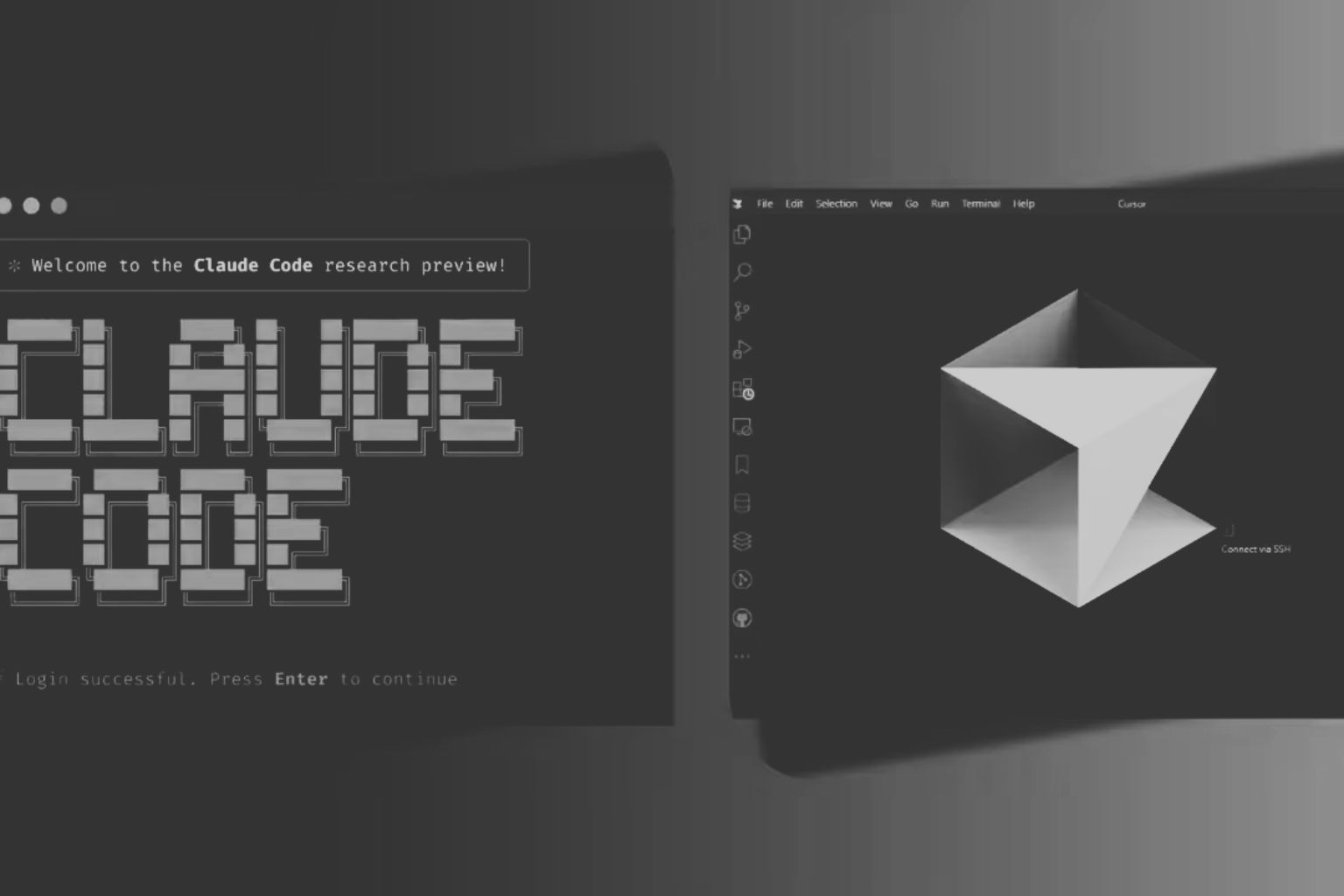
Claude Code vs Cursor is no longer a simple “terminal versus IDE” choice. In 2026, both products have expanded into agent platforms that can plan multi-step work, edit code, run commands and tests, operate in parallel, and continue tasks away from the main editor. The more useful question is which workflow you want around the agent.
I still use Cursor for much of my own development work because I like staying close to the code inside a familiar editor. But Claude Code has moved well beyond a terminal-only tool, while Cursor has moved well beyond an AI-enhanced VS Code fork. This refresh compares what the two products actually are now, including current pricing, IDE and CLI workflows, cloud execution, model choice, context, permissions and team controls.
Claude Code vs Cursor: The Short Answer
Cursor is a strong fit when you want the editor to remain the center of your workflow. Its Agent experience sits alongside inline editing, code review, model selection and Tab completions, but you can also move into the Cursor CLI, isolated worktrees and Cloud Agents when a task needs more autonomy.
Claude Code is a strong fit when you want to delegate larger units of engineering work to a Claude-native agent. It can run in the terminal, supported IDEs, the web and other surfaces, and Anthropic now supports parallel sessions and subagent-style workflows. Importantly, Claude Code can run inside Cursor itself, so the products are not mutually exclusive.
For a developer choosing between them, focus on four questions: Do you want broad model choice or a Claude-only stack? Do you spend more time making interactive edits or delegating long tasks? Do you need headless/cloud execution? And how predictable do you need usage and team controls to be? There is no universal winner; the better fit depends on those answers.
Quick Comparison Table
| Area | Claude Code | Cursor |
|---|---|---|
| Primary experience | Claude-native coding agent across terminal, supported IDEs, web and other surfaces | AI-native editor plus Agents window, CLI and cloud agents |
| Agent workflow | Delegation-first; plans, edits, commands, tests, subagents and parallel sessions | Editor-first or agent-first; interactive Agent, worktrees, CLI and cloud execution |
| Cloud / remote work | Claude Code on the web can work against GitHub repos remotely and create pull requests | Cloud Agents run in isolated VMs and can continue without your local machine online |
| Headless / CLI | Native CLI with scripting, hooks and automation options | Cursor CLI supports non-interactive print mode for scripts and CI |
| Model choice | Claude models | Models from multiple providers plus Cursor models |
| Parallel work | Parallel sessions, subagents and remote tasks | Worktrees, parallel cloud agents and automations |
| Individual entry price | Pro: $20/month, or $17/month equivalent when billed annually | Pro: $20/month |
| Higher individual tiers | Max 5x: $100/month; Max 20x: $200/month | Pro Plus: $60/month; Ultra: $200/month |
| Team controls | Team and Enterprise plans add centralized administration, SSO and broader enterprise controls | Teams and Enterprise add centralized billing, privacy enforcement, SSO, analytics and advanced controls |
| Best fit | Claude-first delegation, long agent runs, parallel Claude workflows | Developers who want tight editor integration plus choice across models and execution surfaces |
Pricing and product capabilities in this guide were checked against official Anthropic and Cursor documentation on September 26, 2026. Both vendors can change plans, limits and model availability.
The 2026 Difference: Why “Terminal vs IDE” Is Now Too Simple
Earlier comparisons could reasonably describe Claude Code as the terminal agent and Cursor as the AI IDE. That framing is now incomplete.
Anthropic describes Claude Code as a coding agent that works from the terminal, IDE, web and other surfaces. The supported IDE list includes VS Code, Cursor and JetBrains products. Claude Code on the web can take a GitHub repository task, continue after you leave the page and open a pull request when it finishes.
Cursor, meanwhile, has expanded beyond the editor. Its CLI can run interactively or non-interactively for automation and CI, its worktree support isolates concurrent agent tasks, and Cloud Agents can run remotely in isolated development environments. Cursor’s editor remains an important differentiator, but it is no longer the whole product.
So the practical distinction is less about where the tools run and more about how you prefer to work. Claude Code is centered on the Claude agent and its delegation model. Cursor is centered on a development environment that lets you move between hands-on editing, inline AI assistance and increasingly autonomous agents. If you want a deeper walkthrough of Cursor’s editor workflow, see AIMEC’s Cursor AI guide.
Pricing and Usage Limits
Both products start at $20 per month for their main individual paid plan, but comparing only the headline price is misleading. The important differences are how much agent usage is included, what happens when you exceed it, and whether your usage is shared with other products.
| Plan | Current price | What matters for coding |
|---|---|---|
| Claude Pro | $20/month, or $200/year ($17/month equivalent) | Claude Code included; usage is shared across Claude and Claude Code |
| Claude Max 5x | $100/month | 5x Pro usage per five-hour session |
| Claude Max 20x | $200/month | 20x Pro usage per five-hour session |
| Cursor Pro | $20/month | Includes Cursor Models and third-party model usage pools, plus extended Agent access |
| Cursor Pro Plus | $60/month | Higher included usage for developers who use Agent regularly |
| Cursor Ultra | $200/month | Designed for heavier multi-agent and automation use |
Anthropic’s current pricing says Claude Code is included in all paid Claude plans. Pro usage resets on a rolling five-hour session window and paid plans also have weekly limits. Claude activity on web, desktop, mobile and Claude Code draws from the same usage pool. When a paid user reaches the included limit, Anthropic can allow additional usage through usage credits billed at standard API rates.
Cursor’s current model and pricing documentation uses two monthly usage pools on Pro, Pro Plus and Ultra: one for Cursor models and another for third-party models. Model choice affects how quickly the included allowance is consumed. After included usage is exhausted, you can enable on-demand usage or move to a higher plan. Cursor’s own guidance says daily Agent users often land around $60–$100 in total monthly usage, while power users running multiple agents or automation can exceed $200; treat those figures as vendor guidance, not a guaranteed bill.
Team pricing
Claude Team currently costs $25 per seat per month when billed monthly or $20 per seat per month when billed annually for a Standard seat. Premium seats cost $125 monthly or $100 per month billed annually and include 5x the Standard usage. Cursor Teams costs $40 per user per month for Standard seats and $120 for Premium seats, with Premium providing 5x Standard Agent usage. Both vendors also offer enterprise tiers with additional security and administration features.
One thing I have seen first-hand is how quickly coding agents can consume a usage budget compared with ordinary writing tasks. In an earlier workflow I moved from Cursor to my personal Ollama Cloud account after hitting a limit; writing and editing barely touched that allowance, but coding tasks consumed it much faster because the agent repeatedly read files, reasoned over dependencies, wrote code, ran tools and checked results. That anecdote is not a benchmark, but it illustrates why token and context efficiency matter. AIMEC has a separate guide on how to keep AI token usage low.
Agent Workflow and Autonomy
Both tools can now take a task through a full software-engineering loop: inspect the repository, plan changes, edit files, execute commands, run tests and respond to failures. The difference is how that loop is presented and controlled.
Claude Code is designed around delegation. You can start with a broad objective, let the agent inspect the codebase and then have it work through the implementation. Anthropic has added subagents, background work, hooks and parallel session management so larger jobs can be split into smaller pieces. Claude Code’s web mode extends that approach to remote GitHub work: the task continues even after you leave the browser and can finish by creating a pull request.
Cursor lets you move between interactive and delegated modes more fluidly. In the editor you can inspect diffs and guide changes closely; the Agents window and worktrees make parallel tasks easier to isolate; the CLI can continue the same style of agent interaction outside the editor; and Cloud Agents can run in their own VMs with a full development environment. A CLI task can also be handed off to a Cloud Agent and picked up later on the web or mobile.
For short changes, the practical difference may be small. It becomes more noticeable when work lasts for hours, when several tasks need to run at once, or when you want the agent to continue after your laptop is closed.
Editor Experience and Inline Work
Cursor still has the more editor-centric product design. That matters if your day consists of reading code, making small changes, jumping through definitions, reviewing diffs and asking the model for help without breaking your normal coding rhythm. Cursor combines that workflow with Agent, Tab completion and model selection in one interface.
This is also the main reason I continue to reach for Cursor first on many projects. I can remain in a familiar development environment and decide task by task how much control to hand to the agent.
Claude Code no longer requires you to leave the editor, though. Anthropic supports Claude Code in VS Code, Cursor and JetBrains IDEs. That makes its IDE experience much more competitive than older comparisons suggest, even if the product’s identity is still more agent-centric than editor-centric.
Model Choice and Context
This is one of the clearest architectural differences. Claude Code is built around Anthropic’s Claude model family. Cursor is a multi-model environment: its current documentation lists models from Anthropic, OpenAI, Google and other providers alongside Cursor’s own models. If you routinely switch models for cost, latency or task type, Cursor gives you more choice without changing tools.
Claude Code’s narrower model stack can be an advantage if you specifically want Anthropic’s models and the surrounding Claude Code agent behavior. It also reduces the temptation to compare every task across five model menus when a consistent workflow matters more than model experimentation.
Context size should not be confused with repository understanding. Anthropic’s paid-plan documentation currently lists Claude Code context windows up to 1 million tokens for supported models. Cursor’s effective context depends on the model and execution mode, and its Cloud Agents let you choose supported context sizes. In both products, agent quality also depends on what files are retrieved, what gets compacted, how tools are called and how the agent validates its own work.
If you are comparing the underlying models rather than just these two products, see AIMEC’s best LLM guide and its broader guide to AI coding tools and models. For an example of how a lower-cost coding plan can change the economics, AIMEC also compares Zhipu’s GLM coding plan with Claude Code.
Parallel Agents, Worktrees and Remote/Cloud Execution
Parallel work is now a major part of both products.
Claude Code supports parallel sessions and subagents that can work with isolated context. Anthropic’s product page now positions parallel agent workflows as a first-class capability, and Claude Code on the web can run multiple remote GitHub tasks without requiring your local development environment to stay open.
Cursor uses Git worktrees to isolate agent tasks so several agents can operate on the same repository without writing into the same checkout. Its Cloud Agents can run in parallel in isolated virtual machines and do not require your local machine to remain connected. This is useful for feature branches, test generation, migrations or separate fixes that can be reviewed independently.
The practical question is whether you want parallelism organized around Claude sessions and subagents or around Cursor’s editor, worktrees and cloud-agent environment. Teams with mature Git and pull-request practices can make either approach work.
Permissions, Security and Team Controls
Agent autonomy increases the importance of permissions because both tools can execute commands and modify code.
Claude Code historically asked for approval before commands and file modifications, and Anthropic introduced an auto mode that uses classifiers to reduce permission prompts while still blocking higher-risk actions. Anthropic also supports sandboxing and organization-level controls. Claude Team includes centralized administration and SSO, while Enterprise adds controls such as role-based access, SCIM, audit logs and custom data-retention settings.
Cursor provides command and sandbox controls in the CLI, team-wide Privacy Mode, SAML/OIDC SSO and usage administration on Teams, with further repository, model, MCP, network and audit controls on Enterprise. For Cloud Agents, Cursor says agents run in isolated VMs and temporary repository copies are encrypted and deleted after the run. Cloud execution is optional, so organizations that cannot permit code storage in Cursor’s cloud can keep it disabled.
For enterprise adoption, compare the exact data path you plan to use, not only the vendor’s highest-level security page. A local IDE agent, a headless CLI job and a cloud agent can have different code-storage, network and credential implications.
Large Repos and Long-Running Tasks
There is no clean public benchmark that proves one of these products is universally better for large repositories. Coding-agent benchmarks are especially sensitive to the underlying model, harness configuration, tool permissions, context policy, task set and evaluation method. For example, Antigma’s Terminal-Bench 2.1 reference leaderboard currently includes Cursor CLI and Claude Code results, but the rows use different underlying models and were run on different dates. That makes them useful observations of complete tool-plus-model systems, not a controlled proof that one harness is better.
That is why raw percentages need context. AIMultiple’s August 2026 comparison used 10 full-stack web-development tasks, roughly 600 atomic validation checks per agent and more than 9,600 automated test executions. However, its CLI tools used a common Claude Sonnet model while its AI-code-editor category used a different native Claude model, so the published scores still should not be treated as a model-matched Claude Code-versus-Cursor verdict. Some 2026 evaluations compare different model configurations inside different agent products, which makes them useful for studying complete systems but weak evidence for saying the harness alone caused the result. Other evaluations standardize the model for some tool categories but not others. Neither setup supports a single “Claude Code beats Cursor” or “Cursor beats Claude Code” score.
Published product capabilities do show why both can handle long-running repository work. Claude Code can isolate subagent context and continue remote tasks; Cursor can isolate concurrent tasks with worktrees and run Cloud Agents in full development environments where they can build and test changes. For current methodology-focused comparisons rather than a synthetic winner, see AIMEC’s AI coding agent benchmarks.
For a large repo, the better evaluation is a representative internal task: pick the same bug, migration or feature, give each tool the same acceptance criteria, and compare correctness, review effort, test coverage, elapsed time and cost. Do not treat a benchmark from a different model, repository or permission setup as a guarantee for your codebase.
When Cursor Fits Better
- You want the editor to remain the center of your development workflow.
- You frequently make small inline changes and want to review AI edits as you work.
- You want to switch between multiple model providers without changing development tools.
- You want one product that spans editor assistance, interactive Agent, CLI, worktrees and cloud agents.
- Your team wants Cursor’s centralized editor, privacy, usage and cloud-agent controls.
Cursor is particularly compelling when the same developer alternates between hands-on coding and delegated agent work throughout the day. You can keep tight control for delicate changes, then move a self-contained task into a worktree or cloud agent when parallelism is more valuable.
When Claude Code Fits Better
- You prefer a Claude-first workflow and do not need broad model-provider choice.
- You often delegate repository-wide tasks rather than make small inline edits.
- You want a consistent Claude Code agent across terminal, IDE and remote web workflows.
- You make heavy use of subagents, hooks, parallel sessions or long-running delegated work.
- Your organization already standardizes on Claude Team or Enterprise and wants coding usage inside that ecosystem.
Claude Code becomes especially attractive when your mental model is “assign the agent a job, supervise the plan and review the result” rather than “stay in the editor and ask for help as I code.” Its newer IDE and web surfaces mean you no longer have to accept a terminal-only workflow to get that style of delegation.
When Using Both Makes Sense
Using both is no longer an awkward workaround. Claude Code officially supports Cursor as an IDE, so a developer can use Cursor as the main editor while invoking Claude Code for tasks where the Claude-native agent workflow is useful.
A practical split is to use Cursor for daily navigation, inline edits, visual diff review and model experimentation, then use Claude Code for a delegated refactor, repository investigation or parallel Claude task. The exact split can be reversed as well: a terminal-first developer can live in Claude Code and open Cursor when a visual review or editor-heavy session is more efficient.
The downside is cost and operational complexity. Two subscriptions, two sets of settings and two agent histories may not be worth it if one product already covers your workload. Teams should also define which tool is approved for which repositories and data classes rather than letting developers mix cloud and local execution without a policy.
Decision Matrix by Developer Type
| Developer or team profile | Tool to evaluate first | Why |
|---|---|---|
| VS Code-style developer who wants AI embedded throughout the editor | Cursor | Editor, Tab, Agent and review workflow are tightly integrated |
| Developer who delegates broad engineering tasks to Claude | Claude Code | Claude-native agent workflow across terminal, IDE and remote surfaces |
| Developer who frequently changes model providers | Cursor | Broader model choice in one environment |
| Terminal-heavy developer who wants a consistent Claude workflow | Claude Code | CLI remains a first-class surface without excluding IDE use |
| Team running several isolated tasks on one repository | Both | Claude supports parallel sessions/subagents; Cursor supports worktrees and parallel cloud agents |
| CI or scripted agent workflow | Both | Cursor has non-interactive CLI mode; Claude Code supports automation, hooks and agent tooling |
| Team that needs broad enterprise governance | Compare both | Both offer SSO/admin controls; Enterprise capabilities and data paths differ |
| Developer who wants one editor plus occasional Claude-native delegation | Use both together | Claude Code can run inside Cursor |
The useful takeaway is that “Claude Code or Cursor?” is now a workflow decision, not a binary interface decision. Cursor remains the more editor-centric system and offers broader model choice. Claude Code remains the more Claude-centric delegation environment. But both now cover local, agentic and remote execution well enough that your own engineering process should determine the choice.
Frequently Asked Questions
Which is cheaper: Claude Code or Cursor?
The main individual entry plans are the same monthly price: Claude Pro and Cursor Pro are both $20 per month. Claude Pro is also $200 per year, which works out to $17 per month when paid annually. Heavy-use pricing diverges: Claude Max has $100 and $200 monthly tiers, while Cursor has Pro Plus at $60 and Ultra at $200. Actual cost depends on model choice, included usage and any on-demand/API usage.
Can Claude Code run in an IDE?
Yes. Anthropic supports Claude Code in VS Code, Cursor and other VS Code forks, plus JetBrains IDEs such as IntelliJ and PyCharm. That is one reason the old “Claude Code equals terminal” framing is no longer accurate.
Can Cursor run headlessly?
Yes. Cursor CLI has a non-interactive print mode intended for scripts, CI pipelines and automation. Cursor also offers Cloud Agents that run remotely in isolated VMs and can continue without your local machine online.
Which is better for large repos?
There is no universal evidence-based winner for every large repository. Claude Code supports large-context models, subagents and long delegated tasks; Cursor supports repository-aware agents, worktrees and cloud development environments. The better choice depends on your language stack, repository structure, task type, selected model and acceptance tests. For a meaningful decision, evaluate both on one or two representative internal tasks.
Can teams use Claude Code and Cursor together?
Yes. Claude Code officially supports Cursor as an IDE, so teams can use Cursor for the editor experience and Claude Code for Claude-native agent workflows. If you do this at company scale, define approved repositories, execution modes, data-handling rules and spending controls for both products.
Can Cursor use Claude models?
Yes. Cursor supports Anthropic models alongside models from other providers. However, selecting a Claude model inside Cursor is not the same product experience as using Claude Code: the surrounding agent harness, tools, permissions, context handling and execution workflow still differ.

Steven Walgenbach is an AI Engineer specializing in AI agents, large language models, retrieval-augmented generation and business process automation. He designs and builds practical AI systems that connect with existing tools, data sources and workflows to help businesses reduce manual work, improve decision-making and scale more efficiently.
His work includes developing multi-agent systems, private and locally hosted AI solutions, custom knowledge assistants, SEO automation pipelines and LLM-powered applications using Python, LangGraph, CrewAI, the OpenAI Agents SDK and other modern AI frameworks.
Through AIMEC, Steven helps businesses move beyond AI experimentation and identify practical opportunities where artificial intelligence can deliver measurable operational and commercial value.