
When it comes to finding the top AI automation platforms, the number of options has exploded, giving businesses – especially small and mid-sized enterprises (SMEs) – more choices than ever.
In fact, there’s a “commercial investigation” trend where teams thoroughly research and compare solutions before committing to a tool or considering custom development.
If you’re an operations manager, digital marketer, or IT lead evaluating the best AI automation tools for SMEs, this guide is for you. We’ll break down the modern AI tech stack into key categories – from workflow automation and cloud AI services to sales engagement and SEO tools – and compare top platforms in each.
By the end, you should have a clearer picture of which solutions fit your needs, or whether investing in a SaaS product vs. building a bespoke agent makes more sense for your business.
Let’s dive into each layer of the AI tech stack, comparing leading platforms and highlighting their strengths, weaknesses, and ideal use cases. (All comparisons are backed by research and user insights to help you make an informed decision.)
Workflow Orchestration – Zapier vs. Make
One of the biggest uses of AI is the automation of multiple workflow processes. LLMs have the ability to take over the repetitive, mundane tasks, so that people can focus on more dynamic work.
Before we take a look at tools that can be used to improve workflow orchestration, let’s take a look at a case study to see how AI can make workflows more efficient while also reducing costs substantially.
Case Study
One client that we developed solutions for was a news outlet. This business’s workflow included sourcing news by monitoring social platforms like X, Reddit, and other outlets, writing the news, editing each article, inserting the necessary links, and getting the stories out as fast as possible while ensuring high-quality content.
When we were asked to help, we broke down that workflow into 3 sections: sourcing the news, writing the articles (including adding links), and editing the articles before handing each article to a human editor to approve and post.
We were able to source all of the recent breaking news from across the web and different platforms in about 5-10 minutes max. The human editor would then have to pick which articles to cover with a simple yes/no screener.
Thereafter, the system would proceed to write each article at a rate of about 1 article/minute (we kept it at this rate to avoid violating API restrictions for OpenAI and Gemini). Once written, an editor agent would compare the written article with the original source to identify any hallucination or inaccuracies, whether factual or grammatical. It would then save any notes it had on the article, before publishing the article to Google Docs and notifying the human editor.
Overall, the system was able to push out 3X more articles when throttled than a team of 7 human journalists were able to. From a cost perspective, the system reduced the workload on journalists, who now just have to edit the articles and add additional information if any. This slashed costs by 50%.
After analyzing the system, we came to the conclusion that it could run on autopilot with a team of just 1 human editor. This would have slashed costs by 90%. Of course, this system relies on 3rd party operators to run, but there are ways to get around this.
Now that we have covered a practical example of how AI can be used to increase the efficiency of workflows, let’s take a look at some of the most top AI automation platforms.
When it comes to no-code workflow orchestration, Zapier and Make (formerly Integromat) are two giants. Both enable you to automate tasks by connecting apps, but they take very different approaches in design and complexity.
Zapier

Zapier uses a linear, step-by-step builder to create “Zaps” – simple trigger-action workflows. This linear approach makes Zapier extremely easy for beginners and quick, general-purpose automation. You pick a trigger (say, a new lead in your CRM) and then add actions (like sending an email or updating a spreadsheet) in sequence. Zapier’s interface is forms-driven, meaning you configure each step with dropdowns and form inputs. The upside: it’s very straightforward and you can get a basic automation running in minutes.
However, complex logic (like branching paths or loops) is not Zapier’s strong suit – it limits you to relatively fixed sequences and simple conditional paths. In fact, Zapier automations can feel clunky if you try to add deep branching or advanced data handling.
On the positive side, Zapier boasts massive integration support: over 7,000 apps and growing. This broad app coverage means if there’s a SaaS tool out there, odds are Zapier can connect to it. Zapier also offers enterprise features like role-based access and compliance, making it reliable for corporate environments.
Make (Formerly Integromat)
Make provides a visual drag-and-drop canvas where you build “scenarios” – essentially flowcharts of how data moves between apps.
Unlike Zapier’s one-dimensional flow, Make’s scenarios can branch into multiple paths, merge data, iterate over lists, and include advanced logic. This makes Make ideal for complex workflows with conditional logic and multiple steps that might not be strictly linear.
For example, a Make scenario could take one trigger and fan out into parallel actions or decision-based routes. It’s incredibly flexible – but with that flexibility comes a slightly steeper learning curve. New users might find the canvas interface a bit overwhelming at first, whereas Zapier’s linear setup feels more guided. However, once you learn it, Make’s interface often feels more natural for designing complex automations.
Importantly, Make excels at handling data: it supports arrays, JSON parsing, iterators, and other advanced data manipulations natively. This is a boon if you need to, say, take a list of records and loop through them or transform data between steps. Zapier is more limited in those areas (often requiring extra steps or code workarounds for advanced data handling).
One of the headline differences is how each handles complexity. Make excels in scenarios requiring complex logic and branching paths, something Zapier struggles with due to its linear structure. In other words, Make is like a canvas for logic-heavy workflows, whereas Zapier is a straightforward assembly line of tasks.
Despite those differences, there are also similarities. Both are cloud-based iPaaS (integration-platform-as-a-service) tools that offer templates and pre-built integrations to help you get started without coding.
Both have free plans (Zapier’s free tier allows a few hundred tasks, Make’s free tier gives you 1,000 operations) and then tiered pricing as you scale.
Pricing can be a bit tricky to compare: Zapier counts each action (task) and tends to have higher prices per task, while Make counts an “operation” (which could be a data bundle passing through a module) and generally offers more operations per dollar. For instance, Make’s paid plans might give you 10,000 operations for $9/month, whereas Zapier at $19.99/month might allow ~750 tasks. The result is that Make can be much cheaper at scale if you’re running a high volume of automations, though Zapier’s pricing is simpler to understand.
Another key difference is integration count vs. depth. Zapier integrates with about 3x more apps than Make (roughly 7,000+ vs ~2,400 as of 2025), which means Zapier likely supports any niche apps your business uses.
Make, on the other hand, often has deeper integration capabilities for the apps it does support – offering more actions or API endpoints per integration than Zapier. For example, an app like Xero might have 80+ possible actions in Make but only 20-30 in Zapier. If you rely on a specific app’s advanced API, Make might give you more flexibility there, whereas Zapier covers more breadth of apps.
Zapier vs. Make Comparison
To summarize the comparison, here’s a quick rundown of how Zapier and Make stack up:
| Aspect | Zapier (Linear Zaps) | Make (Visual Scenarios) |
|---|---|---|
| Workflow Model | Linear Zaps: trigger → step → step (simple sequence). | Visual Scenarios: drag-and-drop nodes with branches and loops. |
| Ease of Use | Extremely beginner-friendly; form-based setup with guidance. | Steeper learning curve; powerful canvas UI that requires learning. |
| Complexity Handling | Limited branching (simple if/else); no loops in a single Zap. Best for straightforward tasks. | Unlimited steps, routers for branches, loops, iterators, and advanced logic; ideal for complex workflows. |
| Integrations | ~7,000+ apps (very broad ecosystem). | ~2,400+ apps (more focused), often with deeper actions per app. |
| Data Manipulation | Basic field mapping, basic formatters; lacks native array/loop tools. | Advanced data handling: JSON parsing, iterators, variables, array tools, and more. |
| Community & Support | Huge community, many tutorials, strong third-party resources. | Smaller but growing community; strong official docs but fewer third-party guides. |
| Pricing Model | Per task; gets expensive at scale. Free tier ~100 tasks/month. Paid from ~$20/month for 750+ tasks. | Per operation; generally more cost-effective at scale. Free ~1,000 ops/month. Paid from ~$9/month for 10k ops. |
| Best For | Beginners & simple automation—quick plug-and-play setups. | Power users & complex workflows needing advanced automation or high-volume efficiency. |
In summary, Zapier is the go-to if you want to automate something fast with minimal fuss – it’s like the “easy button” for integration, with unmatched app coverage and a gentle learning curve. Make is the choice if you have more complex automation needs or you enjoy tweaking and optimizing workflows – it gives you much finer control and can save money when you’re automating at large scale.
Most SMEs might actually use both in different scenarios – Zapier for quick tasks and Make for heavy-duty jobs – since each shines in different areas. The good news is both can dramatically reduce manual work, so it largely comes down to your specific workflow requirements and your team’s comfort with complexity.
Cloud Infrastructure for AI – AWS vs. Azure vs. GCP
If your AI initiatives involve building custom models, data pipelines, or scalable AI-driven applications, you’ll likely need a cloud platform. The “Big Three” – Amazon Web Services (AWS), Microsoft Azure, and Google Cloud Platform (GCP) – all offer extensive AI/ML services. But how do they compare, and which is best for startups and SMEs looking to innovate in AI?
Let’s break it down by AI capabilities and also consider the startup credits and programs each platform offers (which can significantly offset costs for young companies):
AWS (Amazon Web Services)

AWS is the most mature and widely adopted cloud, and it has a very broad suite of AI/ML services. AWS’s flagship is Amazon SageMaker, a fully managed machine learning platform that covers everything from data labeling to training to deployment. If you need to build and deploy your own models, SageMaker provides a one-stop environment.
AWS also offers cutting-edge services like Amazon Bedrock (for foundation models and generative AI), AI APIs (for vision, language, etc.), and an extensive ecosystem of GPU instances.
The strength of AWS is its breadth and reliability – you get access to virtually every infrastructure service (compute, storage, databases) which tightly integrate with the AI services. For example, SageMaker ties in seamlessly with S3 for data storage, or AWS Lambda for serverless inference, etc. AWS is often the safe choice for scalability and support; however, it can be complex (so many services!) and costs need to be managed carefully (AWS has a reputation for surprising bills if you don’t use cost monitoring).
For startup credits, AWS has the Activate program. Typically, eligible startups can get $1,000 in AWS credits to start, and in some cases up to $100k or even $300k for advanced cases. (AWS Activate’s basic packages often give a few thousand dollars, while certain accelerators or AI-specific cohorts can grant larger credits.) These credits can be used across most AWS services including SageMaker, which is a big help. AWS’s program is usually open to startups less than 10 years old and below a certain funding threshold. One downside noted: AWS’s initial credits might be smaller than what GCP offers in some tiers – e.g., AWS often starts with ~$1k for early-stage, which might not go far if you’re training models, though there are opportunities to get more as you grow.
Azure

Microsoft’s Azure has become a powerhouse for AI, especially with its close partnership with OpenAI. Azure offers Azure Machine Learning (Azure ML) for orchestrating the end-to-end ML lifecycle, similar to SageMaker.
It’s known for strong support in enterprise scenarios – e.g. robust MLOps, security, and the ability to deploy models in a hybrid way (cloud to on-prem) which is valuable for industries with data regulations. Azure also has Azure Cognitive Services (pre-built AI APIs for vision, speech, language), and notably Azure is the cloud backend for OpenAI – meaning you can get Azure OpenAI Service to use GPT-4, etc., with enterprise compliance. Where Azure often excels is if your stack is already Microsoft-heavy – it integrates with tools like Power BI, Dynamics 365, and uses Active Directory for identity.
Azure’s learning curve can be steep, but for large organizations it offers unparalleled governance and an ability to meet compliance (great for finance, government, etc. who might need specific certifications). Azure’s startup offering is the Founders Hub under Microsoft for Startups. Qualifying startups can receive up to $150k in Azure credits (in tiers) plus a lot of free software like GitHub Enterprise, Office 365, and dev tools.
Notably, Microsoft’s program does not require you to be VC-backed – even bootstrapped startups can apply, which is friendly. The credits increase as you hit certain milestones (they have tiers like $1k, $5k, $25k, $120k etc. as you progress). Azure’s total credit pool is smaller than GCP’s top end, and Azure is sometimes seen as less AI-focused compared to Google. But if you value mentorship and integration with Microsoft’s ecosystem (they provide 1:1 mentors and access to LinkedIn, GitHub benefits), Azure is a strong choice for startups that want an all-in-one growth platform.
GCP (Google Cloud Platform)
Google’s cloud has a reputation for being very strong in data analytics and AI research.
Google’s Vertex AI is the centerpiece for machine learning on GCP. Vertex AI offers streamlined training and deployment (including support for Google’s TPUs – specialized AI chips that can accelerate training of large models). Google also integrates AI into its BigQuery data warehouse, so you can train models on data in-place, which is a big plus if you’re already using Google’s data ecosystem. One of GCP’s differentiators is access to Google’s cutting-edge tech: things like TPUs for advanced use cases, DeepMind’s models, etc., often debut on Google Cloud.
GCP is also known for developer-friendly tools and strong support for open-source (TensorFlow was developed by Google, for example). For an AI startup, Google Cloud can be attractive not just for tech but also for the credits: Google for Startups Cloud Program offers very generous credits – usually $100k for the first year and $100k for the second year for qualified startups, and if you’re building something AI-first or in certain sectors, they even bump it up to $350k total.
That is currently one of the highest offers in the industry. As one comparison noted, Google’s program has “the most generous credit packages” especially for AI or Web3 startups. Eligibility is typically being a young startup (under 5 years) and not an existing paying GCP customer. These credits can be used for things like Vertex AI, BigQuery, etc., and come with technical sessions and community support. In terms of AI capabilities, many see GCP as leading if you’re heavily into machine learning research or need advanced tooling – Google’s expertise in AI is a significant advantage.
However, GCP might have a smaller menu of general cloud services compared to AWS (AWS still often has more variety in compute/storage options). But for most use cases, GCP covers the essentials and then some. Another angle: Google tends to be strong in data science workflow (Colab notebooks, AI Hub, etc.), and if your team loves Google’s ecosystem (think Kubernetes, TensorFlow, etc.), you’ll feel at home on GCP.
AWS vs. Azure vs. GCP for AI – Comparison
Let’s summarize some key comparisons in a quick table:
| Aspect | AWS (Amazon Web Services) | Azure (Microsoft Azure) | GCP (Google Cloud) |
|---|---|---|---|
| Notable AI Services | Amazon SageMaker for end-to-end ML; Amazon Bedrock (gen AI); broad AI API suite (Rekognition, Polly, etc.). | Azure Machine Learning (Azure ML); Azure Cognitive Services; Azure OpenAI Service (GPT models). | Vertex AI for end-to-end ML; AutoML tools; TPUs for fast training; Vision/NLP APIs. |
| Strengths | Huge service catalog; highly scalable; many AI tools; deep integration with AWS ecosystem. | Enterprise integration with Microsoft tools; strong security and hybrid support; ideal for .NET/Windows; OpenAI partnership. | Cutting-edge AI research; TPUs; tight integration with BigQuery; developer-friendly ML environment. |
| Startup Credits | AWS Activate: ~$1k–$5k starter; up to ~$100k for qualifying startups; some tiers up to ~$300k. Valid 12–24 months. | Microsoft for Startups (Founders Hub): up to ~$150k in credits in tiers; includes GitHub Enterprise & Office 365; no funding needed. | Google Cloud for Startups: ~$100k/year for 2 years ($200k); up to ~$350k for AI-first startups. Typically 12–24 months validity. |
| AI/ML Niche | Flexible “building-block” infra; great after workloads stabilize; requires more DevOps tuning. | Excellent for governed enterprise AI; strong integration with Microsoft stack; chosen by companies already in MS ecosystem. | Favored by AI-centric startups; easy prototyping with Vertex AI; best for big-data + ML workloads. |
| Considerations | Steeper learning curve; costs can scale unpredictably; very reliable with abundant talent pool. | Slightly fewer services than AWS; smaller credits vs GCP; strong partner/mentorship ecosystem. | Fewer global regions; extremely AI-heavy focus; may lag AWS/Azure in some enterprise services; strong for cloud-native startups. |
| Summary Insight | Best for flexibility and massive service breadth; ideal for infra-heavy or scalable AI systems. | Best for integrated enterprise stack & compliance-heavy orgs; great AI via OpenAI partnership. | Best for AI/ML innovation; generous startup credits; optimal for AI-centric and data-intensive teams. |
All three have strong AI offerings; your choice might hinge on where your team’s familiarity lies and which ecosystem aligns with your product. It’s not uncommon to mix and match (e.g., use one cloud for an AI project and another for general IT) – but leveraging the startup credits from one can be a big money saver in the first couple of years.
Sales and Lead Engagement Automation: SmartReach vs. HubSpot vs. B2B Rocket
Driving sales pipeline growth is a top priority for most SMEs, and there’s a host of AI-powered sales engagement tools to help automate lead generation, outreach, and follow-ups. Let’s compare three different types of solutions in this space: SmartReach, HubSpot (Sales Hub), and B2B Rocket. Each approaches sales automation from a slightly different angle – one is a multichannel outbound tool, one is a comprehensive CRM suite, and one is a specialized B2B marketing automation platform.
SmartReach.io – Multichannel Outbound Automation

SmartReach is designed to help sales teams automate their prospecting and cold outreach across channels. Think of things like cold emails, LinkedIn messages, SMS, maybe even calls – SmartReach helps you sequence these touchpoints and personalize them at scale.
A standout feature of SmartReach is its emphasis on email deliverability: it includes tools for email warm-up, sender reputation management, and rotating sending addresses to ensure your emails land in the inbox, not spam.
It also integrates with popular CRMs to pull in lead data and update statuses, making sure your team’s outreach efforts are tracked. Essentially, SmartReach is great if you’re doing outbound sales campaigns and need to send a lot of targeted messages without getting blocked by providers.
It uses intelligent sequences and can incorporate conditional logic (e.g., if contact replies, pause further emails) to keep outreach effective but not spammy. Many startups and agencies like it because it lets them scale up outbound sales without losing a personal touch – you can customize templates and set up multi-step cadences (e.g., Day 1 email, Day 3 LinkedIn connection, Day 7 follow-up email, etc.). SmartReach is more of a niche tool focused on top-of-funnel outreach and engagement. It’s relatively affordable compared to big CRMs, and is built for practitioners who want results (more meetings booked) without the complexity of an all-in-one system.
Hubspot (Sales Hub) – All-In-One CRM and Automation Platform
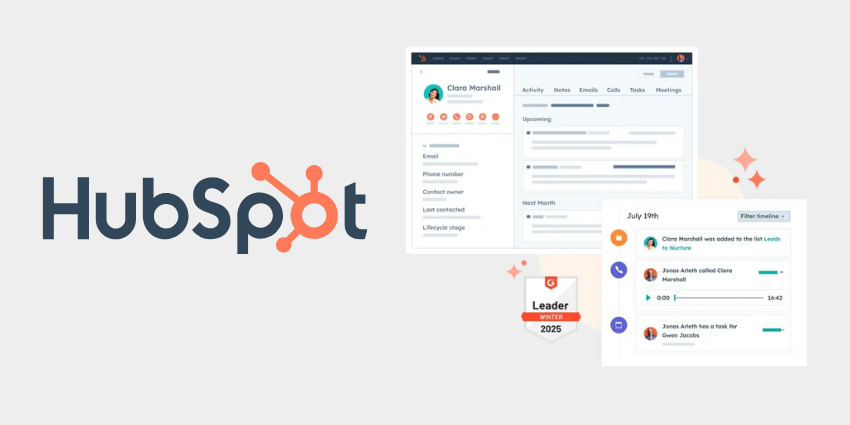
HubSpot is a well-known player that covers marketing, sales, and customer service in one platform. The Sales Hub portion of HubSpot includes tools for email sequencing, lead tracking, pipeline management, and more, all built on top of HubSpot’s CRM. The key advantage of HubSpot is integration and breadth: it’s not just outbound sequences, but also a full CRM database of your contacts and companies, deal tracking kanban boards, meeting schedulers, live chat, and even marketing email and ad tools if you have the full suite.
For a team that wants a single system to manage the entire customer journey, HubSpot is very attractive. You get things like email templates and open/click tracking, automated follow-up tasks, and analytics on your sales funnel. It’s also user-friendly with a modern interface and tons of support resources (and an Academy for training).
The flipside is cost and complexity: HubSpot’s powerful features (like advanced automation workflows, lead scoring, team roles) often require higher-tier plans which can get pricey, especially as you add many users (HubSpot is typically per-seat pricing, and adding sales reps can multiply costs). There’s also a bit of lock-in – once all your data and processes live in HubSpot, switching is hard, so you need to commit to using it deeply.
In a comparison context, HubSpot Sales Hub is ideal if you’re looking for a comprehensive solution that combines CRM + automation. It’s great for inbound marketing and outbound sales in one. But if you only needed, say, an email sequencer, HubSpot might be overkill – that’s where a leaner tool like SmartReach or others come in. Nonetheless, HubSpot’s pipeline management and reporting are a big plus for organizations that want visibility from lead all the way to deal close. It also has a vast integration marketplace, so it can be extended or connected to other systems easily.
B2B Rocket – B2B-Focused Marketing Automation
B2B Rocket is a newer entrant that specifically targets B2B sales and marketing workflows. Based on descriptions, B2B Rocket offers features such as lead generation (finding contacts), lead scoring, email marketing, and CRM integration, all tailored for business-to-business needs.
What sets it apart is a user-friendly interface with customizable workflows geared toward typical B2B scenarios (for example, it likely has playbooks for nurturing a lead over a longer sales cycle, since B2B deals can take weeks or months). B2B Rocket emphasizes ease of use – so even if it provides advanced automation, it tries to keep things simple for marketing teams.
Some users mention it stands out for workflow customization and an interface that non-technical users can navigate easily.
We can think of B2B Rocket as trying to give you the power of an enterprise marketing automation (like Marketo or Pardot) but in a more accessible package for smaller teams. It likely includes multi-channel campaign abilities, maybe some AI-driven features (the name itself suggests some AI or “rocket fuel” for growth). For example, it might have AI that optimizes send times or analyzes prospect engagement. Pricing-wise, it appears B2B Rocket is a premium tool (one report noted it starts around $449/month for their automation service), which means it’s not a casual $50/mo subscription but aimed at teams that are serious about pipeline growth and willing to invest for better conversion rates.
One thing to consider is B2B Rocket vs. an all-in-one like HubSpot: if you already have a CRM and just need better outreach/marketing automation on top, B2B Rocket could slot in. But if you don’t have a CRM, something like HubSpot might cover both bases.
B2B Rocket’s focus on B2B means it might have features like account-based marketing support, or deeper customization for B2B funnels, whereas HubSpot also serves B2C use cases.
Now, let’s compare these three across key dimensions:
Sales Automation Tools Comparison
Tool & Focus SmartReach.io (Outbound Sequencing) HubSpot Sales Hub (CRM & Automation) B2B Rocket (B2B Marketing Automation)
Primary Use-Case Automating cold outreach via email, LinkedIn, etc. – high-volume prospecting with personalized sequences. End-to-end sales management: CRM database, email tracking, pipeline and task automation, plus marketing integration. B2B lead generation and nurturing: capturing leads, scoring, running email campaigns, and customizing workflows for B2B sales.
Key Features Email & LinkedIn sequences (multi-step cadences); email warm-up & deliverability tools; team collaboration on outreach; integrations with CRM for syncing leads. CRM with contacts/companies/deals; email templates & open/click tracking; automated sequences (sales cadences); meeting scheduler; dashboards & reports; marketing email and forms (if HubSpot Marketing is included). Lead database with scoring; user-friendly campaign builder (drip emails, etc.); possibly AI suggestions for outreach timing; CRM integration (syncs with existing CRMs); customizable workflows and analytics focused on B2B funnel.
Strengths Excellent deliverability focus (keeps your domain reputation safe); simple interface for creating sequences; affordable for small teams; great for outbound SDR teams or agencies focused on cold email. All-in-one platform – single source of truth for customer interactions; very robust and feature-rich; large ecosystem of third-party integrations; proven and reliable with strong support resources. Tailored to B2B needs – interface and features built for B2B marketers; likely easier to use than enterprise tools like Marketo; provides customization without requiring technical admins.
Weaknesses Limited scope – not a full CRM (you’ll use it alongside a CRM); primarily outbound – not as much for inbound lead capture (you’d need another tool for forms, etc.); fewer integrations than big platforms. Can be expensive as you scale (per-user costs and tiered feature unlocks); can be overwhelming if you only need a small subset of features; you’re somewhat locked in once your processes are built around it. Newer/less proven than HubSpot (smaller community or support resources); pricing starts high (not for very small budgets); may overlap with tools you already have (if you have a CRM, some features duplicate).
Ideal For Startups and sales teams who need to scale outbound lead generation quickly – e.g., SDRs doing cold outreach worldwide. Great for agencies offering lead gen services as well. Companies that want a unified system for sales and marketing. If you want your CRM, email automation, and pipeline analytics all in one place (and are willing to invest in that ecosystem). Fits both SMB and mid-market well (and even enterprise divisions). B2B-focused teams that need powerful automation but in a more accessible package. If you find HubSpot or enterprise tools too generic or pricey, and you want something built for B2B growth hacking, B2B Rocket is attractive. Often mid-sized B2B companies or tech startups exploring aggressive outbound/inbound mixing.
In essence, these tools aren’t mutually exclusive – they just solve slightly different problems.
SmartReach is laser-focused on outbound prospecting: it’s a specialist tool to get more replies and meetings from cold outreach by automating it smartly (using AI to personalize, ensuring emails don’t end up in spam, etc.). HubSpot casts a wider net, managing your entire sales pipeline and customer relationships, which can streamline your operations if you use all its facets (at the cost of higher software spend and complexity). B2B Rocket aims to give you sophisticated B2B marketing automation without the usual headache – it stands out for having a friendly UI and tailored workflows, which can be a big plus if your team doesn’t have a dedicated marketing ops person but still needs advanced capabilities.
When comparing, consider your team’s capacity and needs: If you already have a CRM you love (say, you use Salesforce or Pipedrive), adding SmartReach for outreach might yield quick wins.
If you don’t have any system of record, HubSpot might be the all-in-one answer – it combines decent outbound tools with top-notch CRM features. And if your marketing team wants to run sophisticated campaigns to nurture leads through a B2B buying journey, a tool like B2B Rocket could fill that gap and possibly drive higher conversion rates with its targeted approach (some reports claim significantly higher prospecting conversion when using AI-driven workflows, which is the kind of value proposition B2B Rocket positions).
Finally, remember that AI is entering these platforms fast. HubSpot has been adding AI features (like content snippets, data cleaning suggestions), SmartReach and B2B Rocket likely incorporate AI for things like writing email drafts or prioritizing leads.
As you compare, keep an eye on how each tool is leveraging AI to make salespeople’s jobs easier – since that can be a catalyst for better pipeline growth with the same human effort.
Content and SEO Automation – Surfer vs. Alli AI
Scaling organic visibility (SEO) is another area where AI tools have made a huge impact. In the content and SEO realm, two notable tools are Surfer SEO and Alli AI – though they tackle the problem from different angles. Let’s explore how each works and how they complement the content optimization process.
Surfer SEO
Surfer is an AI-driven content optimization platform.
It’s used primarily by SEO content writers and marketers to create content that ranks well in Google. Surfer’s approach is to analyze the current top-ranking pages for a given keyword and provide data-driven recommendations for your content.
For example, if you want to write a blog post targeting “AI automation tools”, Surfer will examine what the top results are doing – how long their content is, how many times certain keywords or phrases are used, what headings they include, etc. – and then it will guide you to write a competitive piece.
Surfer has a content editor where as you write, it gives you a score and suggestions: e.g., “include these 10 key terms,” “your article should be around 2,500 words,” “add 2-3 images,” etc. It essentially acts as an on-page SEO coach in real time. Surfer can also generate an outline for you based on common headers from competitors, saving you the hassle of manual research.
Another feature is SERP analysis: Surfer can show you correlations (like keyword density, page speed, backlinks) among the top pages, helping you understand what might be the deciding factors. The tool also offers an SEO audit for existing pages – where it will compare your page to those ranking and tell you what to improve (maybe you need more semantic keywords, or more backlinks, etc.). Surfer’s strength is making SEO content creation fast and systematic. You no longer have to guess what Google likes – Surfer’s AI gives you a blueprint.
For an SME with a small content team, this means you can produce optimized content at scale, even if you don’t have an expert SEO on staff, because the tool embeds a lot of expertise. It’s worth noting Surfer recently introduced some AI writing assistance too (integrations with GPT-3/Jasper to help generate content, though a human should still guide it). Overall, if content marketing and SEO are your growth strategy, Surfer is a popular choice to ensure all that content is actually optimized to rank.
Alli AI
Alli AI is quite different – it’s an AI-powered SEO automation tool for on-page and technical SEO.
Instead of guiding writers, Alli acts more like an automated SEO engineer. The key idea of Alli AI is that you install a snippet of code on your website, and it can then make SEO changes to your site automatically (or at the push of a button).
This means things like updating meta tags, inserting keywords into pages, adding internal links, fixing broken links, optimizing images, etc., could be done at scale by the tool. Alli AI essentially bypasses the need to manually edit pages or go through a CMS for many optimizations – it injects the changes via JavaScript on the fly.
For agencies or sites with hundreds or thousands of pages, this is a game-changer: you can roll out an SEO update across the whole site in minutes rather than spending weeks with a dev team. For example, imagine you want to add a particular keyword to the title of 100 product pages – Alli could do that en masse. Or if you want to automatically internal-link all instances of “AI tool” to a certain page, Alli can set that rule.
It’s like having a tireless SEO technician implementing best practices continuously. The platform offers a dashboard to review recommendations – it will scan your site and suggest improvements (like “Page X is missing an H1 tag” or “Page Y could include keyword Z in the content”). You can then approve these suggestions and Alli will apply them instantly.
It’s important to note that Alli AI targets marketing agencies and enterprises managing multiple sites – in other words, it’s built for scale. If you only have a small site, Alli might be overkill (and indeed, its pricing starts fairly high, e.g. ~$169/month for 1 site, scaling up to thousands for many sites). Another thing to consider: Alli AI effectively creates a dependency – since it applies changes via its snippet, if you ever remove the tool, those optimizations go away (and one must plan to transfer them into the CMS eventually). Some users cite that as a drawback: you must either commit to using it long-term or treat it as a temporary boost.
On the upside, Alli AI can dramatically speed up SEO implementation, which is critical because technical SEO fixes delayed = lost traffic.
Now, comparing Surfer vs. Alli AI is interesting because they actually complement each other more than compete. Surfer helps you create and optimize content, Alli helps you deploy and fine-tune SEO changes site-wide. However, for the sake of understanding, let’s line up their roles:
Surfer SEO vs. Alli AI Comparison
Aspect Surfer SEO (Content Optimization) Alli AI (Technical SEO Automation)
Primary Purpose Guide content creation with data-driven SEO recommendations – what to write and how to write it to rank. Automate on-page SEO changes across your site – implement optimizations without manual coding.
How It Works Analyzes top Google results for a keyword; provides suggestions on keywords, headings, length, etc. Content editor scores your draft in real-time. Also offers site audits and keyword research assistance. Injects a code snippet into your site; scans pages for SEO issues or opportunities; allows bulk edits (meta tags, links, content tweaks) via a dashboard. Changes are deployed via JavaScript instantly after approval.
Key Benefits Ensures each piece of content is fully optimized for its target keywords (improves likelihood of ranking). Saves time in content research by automating competitive analysis. Non-SEO writers can produce SEO-friendly content with guidance. Massively speeds up SEO implementation – no waiting on dev cycles for on-page changes. Great for large sites or agencies managing many sites. Can fix technical SEO issues (broken links, missing tags) and optimize at scale. Essentially provides SEO “muscle” to implement recommendations site-wide.
AI/Automation Use Uses AI to analyze SERPs and also to assist in writing (suggesting text or outlines via NLP). Surfer’s recommendations are algorithmic but still require the human to write or edit content accordingly. Uses AI to decide and apply changes. For instance, it might algorithmically decide where to add internal links, or how to adjust content for keywords. The heavy lifting of editing pages is automated. However, it’s rule-based (you set rules or approve suggestions).
Limitations / Risks Surfer focuses on on-page factors; it doesn’t handle off-page (backlinks) or technical site issues deeply. If used unwisely, could lead to over-optimization (e.g., cramming keywords) – so human judgment still needed. Also, content quality still matters beyond just keywords. Reliance on the snippet – if you stop using Alli, all changes revert (potential rankings drop). It’s relatively expensive, so you need enough scale to justify it. Also, automated changes could occasionally conflict with site styling or other scripts, so monitoring is necessary.
Ideal Users Content marketers, SEO writers, or agencies producing lots of content who want to streamline the SEO writing process. SMEs focusing on content marketing can upskill their team with Surfer’s guidance. SEO agencies, in-house SEO teams for large websites, or businesses with multiple sites. Ideal for those who have lots of content/pages to optimize and not enough time or dev resources to do it manually. If you need to implement hundreds of SEO fixes quickly, Alli AI is unparalleled.
In summary, Surfer SEO helps you plan and create content that can rank, while Alli AI helps you fix and adjust your site for SEO without manual labor. If you imagine the SEO workflow: strategy → content creation → on-page optimization → technical fixes → monitoring – Surfer sits in the strategy/content phase and Alli sits in the on-page/technical phase.
For example, an SME might use Surfer to draft 10 new blog posts optimized for target keywords (ensuring they cover the right topics and semantically related terms). Once those posts (and other pages) are live, they might use Alli AI to automatically add internal links between them, update title tags for better click-through, and continuously refine the pages as SEO recommendations evolve. This one-two punch can significantly scale your organic visibility by both increasing content output quality (thanks to Surfer) and maximizing on-page optimization across the site (thanks to Alli).
One note: if you’re a very small operation (say a personal blog or a 5-page site), neither tool might be worth the cost/effort; but as soon as you are producing content regularly or have a sizable site, they become valuable. Many marketing agencies actually use Surfer to make their content deliverables better and Alli to manage client site optimizations in a fraction of the time it would normally take.
Given how search engines are continuously getting smarter with AI themselves, using these kinds of AI tools is almost necessary to keep up. They help take the guesswork out of SEO and let you focus on creating value, while the tools handle the tedious optimization details.
Build vs. Buy – When to Use SaaS vs. Custom Development
After reviewing all these tools and platforms, another big question looms: Should you use an off-the-shelf SaaS solution or build a custom solution (or “bespoke AI agent”) for your needs?
This “build vs. buy” decision is crucial for SMEs when planning their tech stack. There’s no one-size-fits-all answer, but we can outline scenarios for each approach. The goal here is to help you decide when it’s better to subscribe to a SaaS tool and when it might be worth investing in custom development of your own AI automation.
Advantages of Buying (SaaS Tools)
The biggest draws of using existing software are speed and lower upfront cost. You can sign up for a tool today and start using it immediately, rather than waiting months for development. There’s also the benefit of proven reliability – good SaaS products have been tested by thousands of users, so you’re less likely to hit show-stopping bugs.
Maintenance, hosting, updates – all that is handled by the vendor, meaning your team doesn’t have to worry about it. This lets you focus on your core business rather than re-inventing technical wheels. For a small company, that’s huge.
As an example, a small marketing team could subscribe to an email automation service for $50/month and start nurturing leads right away, instead of spending developer time building an email system. Cost predictability is another factor: SaaS is usually pay-as-you-go, which avoids the large investment a custom build might require. It’s often said that startups “buy to stay lean and move fast” – indeed, if speed to market is critical, buying is usually the way.
However, buying isn’t without downsides. You might face limited customization – you have to adapt your processes to how the tool works, which could mean compromises. If your needs are unique, an off-the-shelf tool might not fit perfectly.
There’s also the risk of scaling costs: SaaS models can get expensive as you grow (e.g., many charge per user or have tiered pricing that jumps with usage). Over a few years, renting software can sometimes cost more than building, especially if the vendor raises prices or you need to upgrade for features you want. And importantly, you might encounter the vendor lock-in problem – once you rely heavily on a platform, switching away can be difficult and costly (your data is in their format, your team is trained on it). If the vendor’s roadmap doesn’t align with your needs, you’re stuck waiting or finding awkward workarounds.
Advantages of Building (Custom Software or AI Agents)
The primary reason to build is customization and competitive advantage. If your business has specific processes or an innovative approach that no existing tool supports, building your own software ensures a perfect fit.
You can design the solution exactly around your workflow, rather than bending your workflow to fit a tool. This can make your operations more efficient and even be part of your competitive moat – proprietary software can do things in a way competitors can’t easily copy.
For instance, if you develop a custom AI algorithm that automates something unique in your industry, that’s now an IP (intellectual property) asset you own, potentially adding value to your company.
Additionally, custom builds mean no dependency on vendors – you’re not subject to someone else’s uptime, terms of service changes, or feature deprecations. Over the long run, if the software is core to your business, owning it can save money too. There are case studies where a company started with a cheap SaaS, but costs ballooned as their team and needs grew, eventually surpassing what it would’ve cost to build a bespoke system.
In such cases, after a few years, custom software can actually be more cost-effective (since you pay mainly upfront development and minor maintenance, instead of endless subscriptions).
Building also allows you to embed AI/automation in proprietary ways. If your vision involves doing something novel with AI – say integrating an AI model deeply into your customer experience or internal process – off-the-shelf tools might not support that. Custom systems enable you to incorporate AI exactly as needed, potentially creating innovative features that set you apart.
For example, if you wanted an AI sales agent that is tailored to your proprietary database and processes, you might need to build it because no SaaS will have your exact requirements built-in. As the saying goes, if it’s core to your secret sauce, building often makes sense.
Of course, building has its trade-offs too. It requires time and money upfront – you might spend months and a significant budget before you have a working product.
That’s a serious consideration for SMEs. There’s also execution risk: projects can run over time or budget, or fail if not managed well. And once you build something, you assume the burden of maintenance, updates, security, etc., unless you have a team or a reliable partner for it.
If your company doesn’t have strong technical capability, taking on a software project can distract from your main business. Custom development should align with your long-term strategy; as one expert said, treat build vs buy as a strategic lever – use it when it truly gives strategic value, not just for the sake of owning tech.
To make this more concrete, let’s outline scenarios for when to use SaaS vs. when to build:
Use SaaS (Buy) if: you need a solution quickly and it’s not a core differentiator for your business. If the need is common (like CRM, bookkeeping, basic marketing emails), buying is usually smarter – there are plenty of well-built tools that handle these standard needs.
Also, if you lack a tech team or have limited IT capacity, buying avoids stretching your resources. For early-stage startups, cost is a factor too: the lower upfront cost of SaaS and the ability to pay monthly helps preserve cash. And if your process is likely to change as you learn, a flexible SaaS can adapt (or you can switch tools) faster than rebuilding custom software repeatedly.
Build (Custom) if: the software functionality is central to your value proposition or operations, and you need precision or innovation that off-the-shelf tools can’t provide. For example, if you’re a data analytics firm, building your own AI-driven analytics platform could be core to your product – that’s a build case.
Also consider building if your scale has grown to a point where SaaS costs are getting out of hand – e.g., you’re paying thousands per month for a tool and still hitting its limits. If you project that over 3-5 years you’d pay more in subscriptions than a one-time build, the economics might favor building (and indeed, analyses show custom can save 40-60% over 3 years in some cases once you reach scale).
Security or compliance can be another reason: if you operate in an industry where using a third-party service is risky or not allowed for certain data, building in-house ensures you control the data environment. Lastly, if you plan to embed advanced AI uniquely (maybe you want an AI model running on your proprietary data to give you an edge), building your system allows that, whereas SaaS tools might only offer generic AI features.
To sum up the comparison, here’s a table of key factors:
| Factor | Buy (SaaS Tool) | Build (Custom Development) |
|---|---|---|
| Upfront Cost | Low (subscription or license fee). Pay incrementally. | High (investment in development). Pay upfront for devs, then maintenance. |
| Time to Implement | Fast – instant setup or a few days to onboard. | Slow – could be months to develop a tailored solution. |
| Customization | Limited to what the product offers; you may need to adjust your workflow to the tool. | Fully customizable to your exact needs; ideal for unique processes. |
| Maintenance | Handled by vendor (updates, bug fixes, hosting). | You or your hired team handle updates, servers, bug fixes — full control and full responsibility. |
| Scalability & Cost | Can get expensive as you add users or data; recurring fees. Benefit from vendor’s scalable infra. | Mostly upfront cost; scaling usually means optimization or small infra costs. Can be cheaper long-term (no recurring vendor margin). |
| Features & Innovation | Features depend on vendor roadmap; general-purpose AI (same as competitors). | You set the roadmap; integrate proprietary AI or any feature you want. In-house innovation advantage. |
| Vendor Lock-in | High risk of lock-in; switching later can be costly. | No external lock-in — you own code and data. Internal responsibility for maintaining the system. |
| Ideal For | Standardized needs, fast deployment, small teams without dev capacity, tight short-term budgets. | Core systems that differentiate your business, teams with tech talent, high-scale ops, strict control or unique AI needs. |
Ultimately, many businesses do a mix: buy where you can, build where you must. It often makes sense to start with SaaS tools to get off the ground and validate what you need. Then, as you grow and identify areas where a custom solution could give significant improvement or savings, you gradually build those out. This way you’re not over-building too early, but also not forever compromising if something is truly critical.
For example, you might use a SaaS for your general CRM and marketing in year one. But you discover that a certain workflow (say, a specialized pricing algorithm or an AI-based recommendation system for your customers) could really set you apart – and no one offers it exactly as you envision. That could be a candidate to build in-house, giving you a proprietary advantage. Meanwhile, you continue to buy other non-differentiating tools (no need to code your own email service or HR system, for instance).
In the age of AI, one more consideration: there are emerging platforms and no-code AI builders that make building easier than before. The line between buy and build is blurring – some off-the-shelf tools are now highly malleable with AI (they let you customize behaviors via AI, almost like pseudo-building inside the tool). And AI-assisted development is reducing the cost/time of building custom software. So, we might see more custom solutions in the near future as AI lowers development barriers. What was once only feasible for large enterprises to build might become doable for SMEs with a lean dev team empowered by AI.
However, the fundamental calculus remains: align the decision with your strategy and resources. If a tool gives you 90% of what you need and it’s not core to be perfect, it’s probably smarter (and certainly faster) to use that tool. If something is mission-critical and off-the-shelf offers a mediocre solution, that’s when you consider building your own for a potential leap in capability or efficiency.
Conclusion
The modern AI tech stack for SMEs is rich with options – from no-code automation platforms and cloud AI services to specialized sales and SEO tools. There’s never been a better time to leverage powerful software to drive growth.
But more choices mean the need for careful evaluation. Use this guide as a starting point in your commercial investigation of technology: compare the top platforms, consider your team’s needs, and don’t shy away from mixing solutions to create the optimal stack.
Whether you end up using a combination of Zapier for quick wins and Make for heavy lifting, or Surfer to guide content and Alli to implement SEO fixes, or perhaps buying several tools but building one in-house AI system that gives you an edge – the right tech stack is the one that propels your business forward efficiently.
Keep the informational yet conversational approach when discussing with your team or stakeholders, and back up your choices with the kind of facts and comparisons we’ve covered (and remember to check for the latest updates, as tech is a fast-moving field). Here’s to automating smarter and scaling your operations with the power of AI!
Not Sure What To Pick? Let’s Design Your Stack Together
Overwhelmed by options and “best of” lists? We work with operations, marketing, and IT teams to turn messy tool choices into a clear, practical AI roadmap — blending SaaS tools with custom automation where it really counts.
Get a Free AI Tech Stack Review
Frequently Asked Questions
What are the top AI sales automation platforms?
Some of the top AI sales automation platforms include SmartReach, HubSpot Sales Hub, and B2B Rocket. SmartReach excels at multichannel outbound outreach with strong email deliverability tools. HubSpot offers an all-in-one CRM with built-in AI features, automated cadences, and pipeline management. B2B Rocket focuses on B2B marketing automation with customizable workflows for longer sales cycles. The right platform depends on whether your priority is outbound prospecting, full-funnel automation, or advanced B2B nurturing.
What are the top AI automation platforms?
The top AI automation platforms span multiple categories. For workflow automation, Zapier and Make are market leaders. For cloud AI development, the biggest platforms are AWS, Azure, and Google Cloud. For sales engagement, SmartReach, HubSpot, and B2B Rocket are strong picks. For SEO and content automation, tools like Surfer and Alli AI stand out. Each platform solves a different type of automation challenge, so “top” depends on your specific use case.
What are the top no-code AI automation platforms?
Two of the top no-code AI automation platforms are Zapier and Make. Zapier is the best choice for simple, linear workflows that can be built quickly without technical expertise. Make (formerly Integromat) is the preferred no-code option for more complex workflows, offering visual flowchart-style automation, branching logic, loops, and advanced data handling — all without writing code. Both help SMEs build powerful automations without needing a developer.
What are top AI automation platforms?
Top AI automation platforms include tools for different layers of the AI tech stack:
- Workflow automation: Zapier, Make
- Cloud AI and model deployment: AWS, Azure, Google Cloud
- Sales automation: SmartReach, HubSpot, B2B Rocket
- SEO/content automation: Surfer SEO, Alli AI
Each platform specializes in a different category of automation, so evaluating your workflows and business goals is key to choosing the right mix.